
Translate Chinese Video to English Online with AI
Upload your file to translate Chinese video to English in FalcoCut. FalcoCut auto-translates voice and subtitles, adds lip sync, supports bilingual or translated-only subtitles, and lets you change font, size, color, and position.
Drag& Drop, or
Preview Clear Translations and Natural Voice Results
Watch FalcoCut show a side-by-side preview of your original video and the English version. You can check subtitles and voice fast, so the final result stays clear and natural.
 English
 Spanish
 Japanese
Turn Chinese Videos Into Clear English Stories Fast
FalcoCut helps you create an English version of your Chinese video without complex tools. Get clean subtitles, natural voice, and a polished result that feels ready to share.
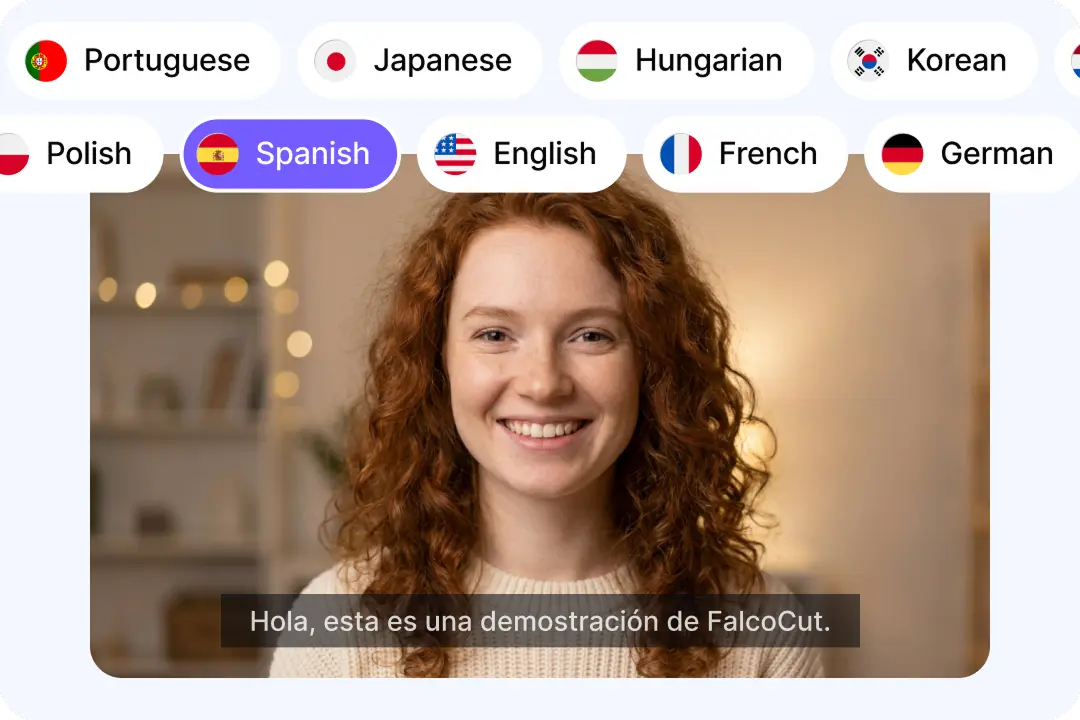
Broader Language Coverage for Global Reach
Reach more viewers by converting Chinese content into English and many other languages in one place. FalcoCut supports 35 languages for full translation, dubbing, and lip sync. This helps you post the same message across regions without extra editing work. You can also create up to two target languages for faster testing. It is a simple way to grow views and save time. Your content stays clear, even when audiences speak different languages.
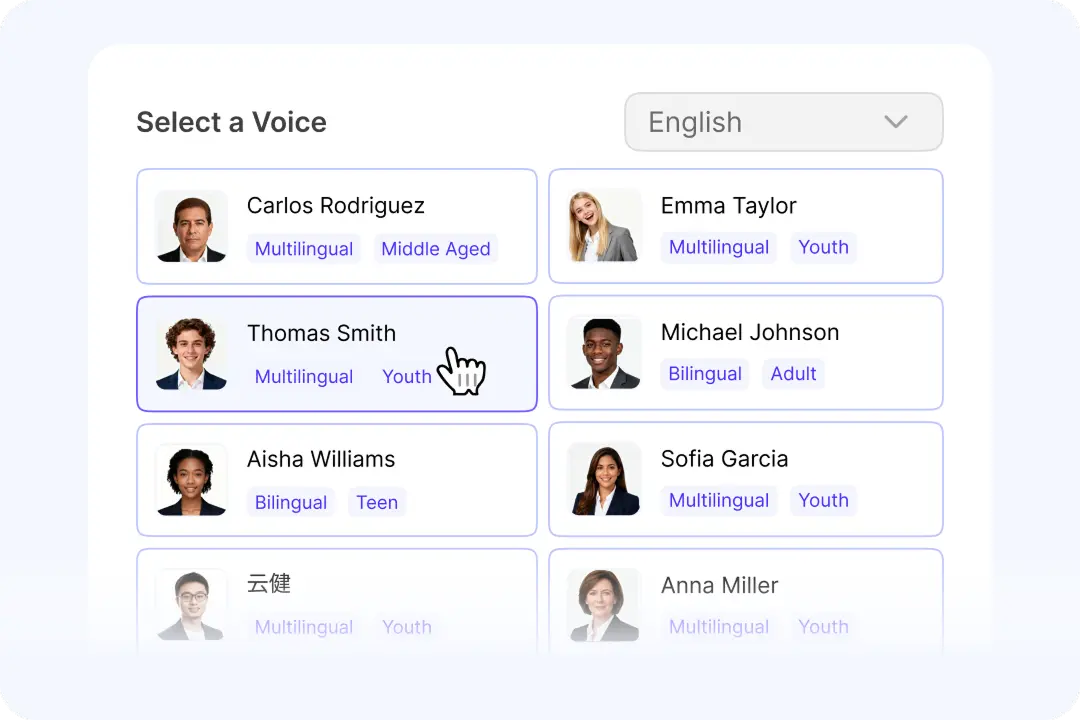
Natural AI Voices That Sound Human
Make your English audio feel smooth, friendly, and easy to trust. FalcoCut includes many realistic AI voices with different tones and styles. This helps you match the mood of your original Chinese speaker. A good voice keeps viewers watching longer and improves understanding. You can pick calm, bold, or upbeat options for different video types. The result sounds more like a real narrator, not a robot.
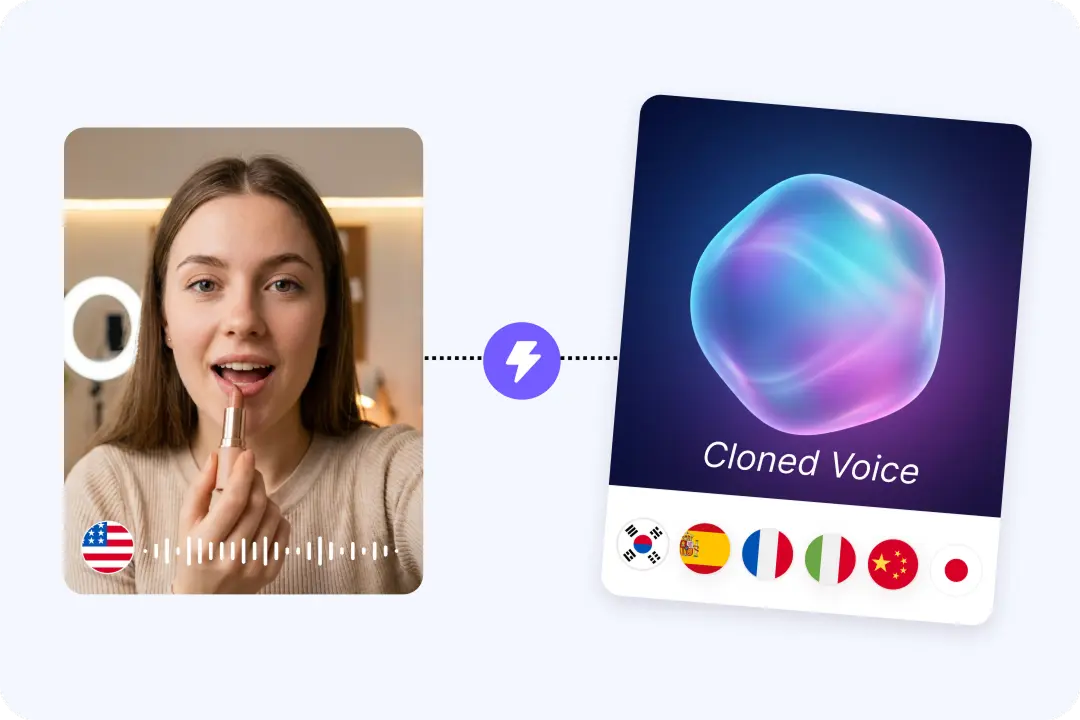
Consistent Dubbing That Keeps Your Brand Voice
Keep your channel sound steady across every upload and every language. FalcoCut supports AI dubbing and AI voice cloning for a familiar speaking style. That means your English version can still feel like you. Consistent voice helps build trust and makes your content easier to recognize. It also reduces the need to hire new voice talent for each video. You get a repeatable workflow that scales with your content.
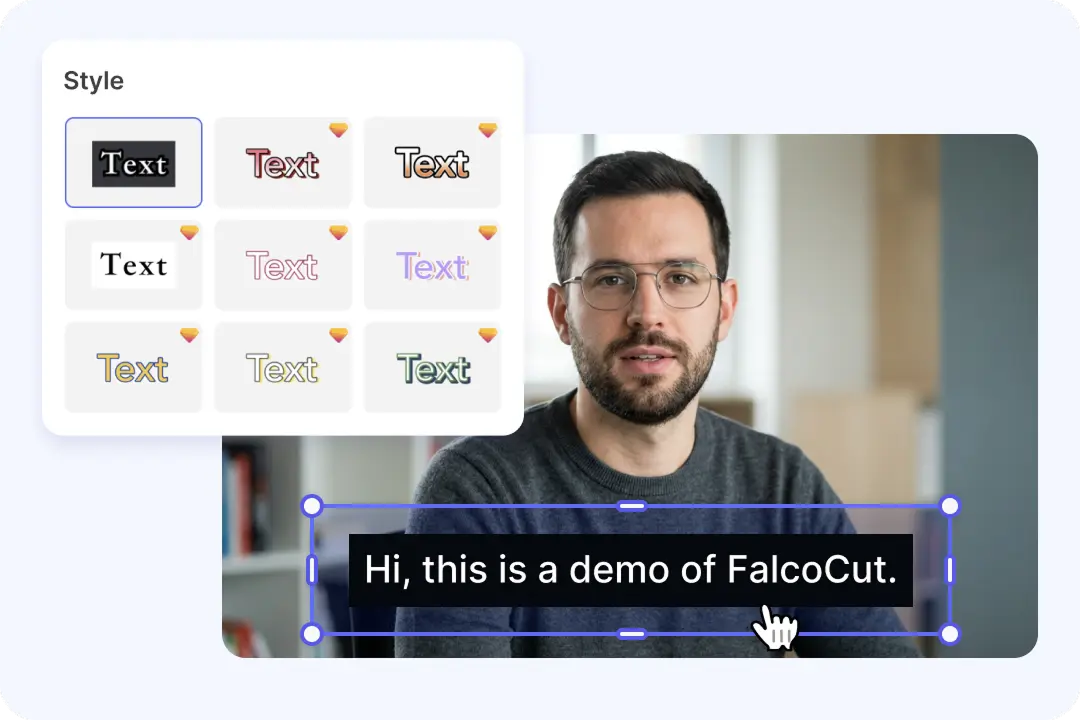
Accurate Subtitles You Can Edit for Clarity
Give viewers clear English text, even when they watch on mute. FalcoCut can detect speech and on-screen text to generate translated subtitles. You can adjust wording so names, slang, and key terms read the right way. This helps avoid awkward lines that hurt trust. Clean subtitles also boost watch time and help more people follow your message. Your final video looks more professional and easier to share.

Realistic Lip Sync for On-Camera Videos
Make the English voice feel matched to the person speaking on screen. FalcoCut lip sync aligns mouth movement to the new translated audio. This reduces the distracting look of off timing dubbing. It works well for talking head clips, interviews, and lessons. A natural match helps viewers focus on your message, not the edit. The video feels more local and more believable to English audiences.
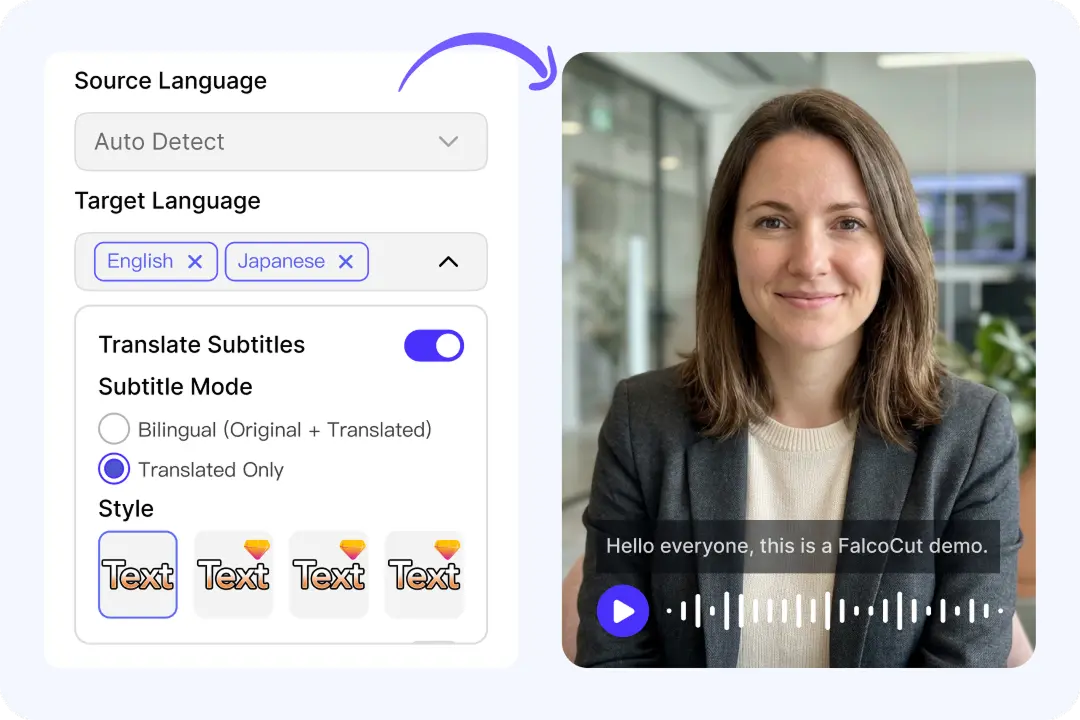
One Workspace for Subtitles, Voice, and Export
Finish your Chinese to English video translation without jumping between many tools. FalcoCut combines subtitles, voice translation, lip sync, and styling in one workflow. This saves time and lowers the chance of mistakes between steps. You can keep a clean look across videos with consistent subtitle style. When you are done, download from My Creations with the option to remove the watermark. It is built for fast publishing on YouTube, ads, and social feeds.
How to Translate Chinese Video to English in FalcoCut
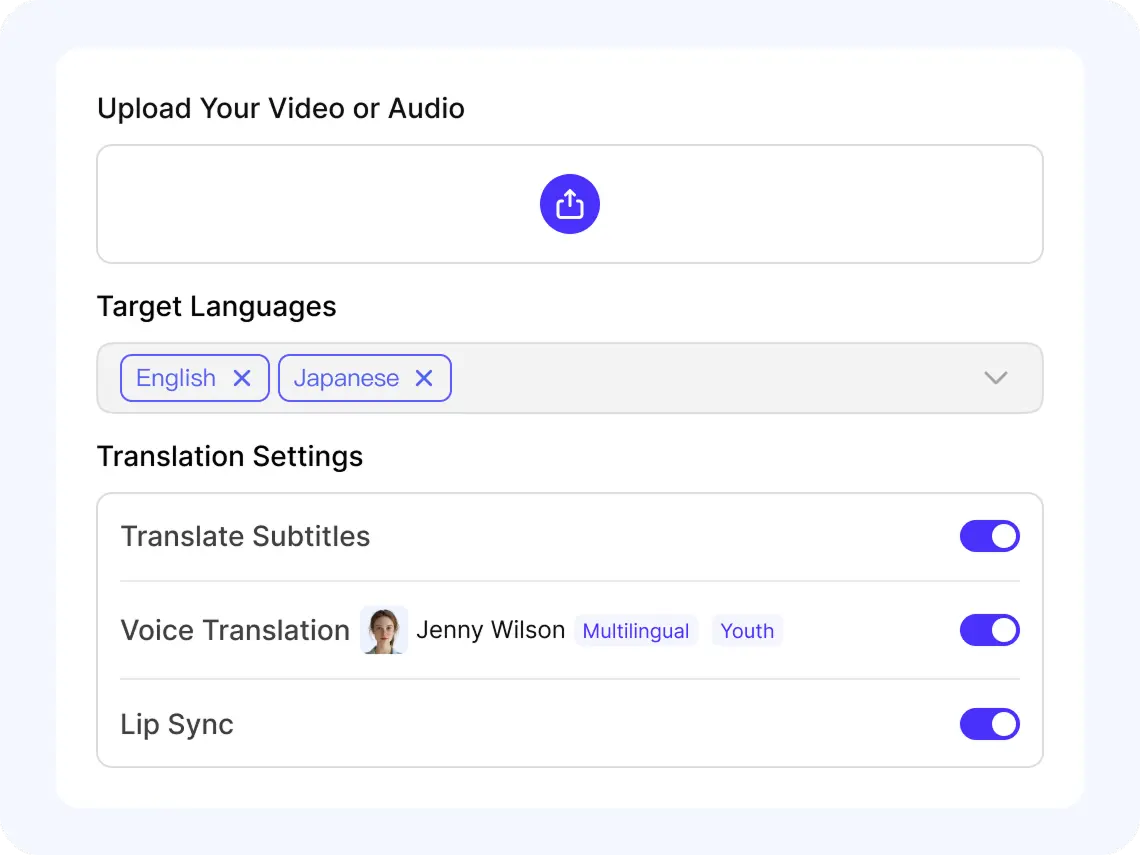
Step 1: Upload Your Clip
Click Add Video to Translate, or pick one from Select From Library. Upload an MP4 or MOV file, then wait for the preview to load. You will see your video ready for settings in seconds.
Step 2: Set Source and Target Languages
Choose Chinese as the Source Language, then pick English as your Target Language. You can add a second target language if needed. FalcoCut supports 35 languages for subtitles, voice, and lip sync.
Step 3: Review Subtitles and Voice
Turn on Translate Subtitles to capture speech and on-screen text in your video. Enable Translate Voice, then Select Voice to match tone and age. Use Bilingual Subtitles or Translated Only, and adjust font and position.
Step 4: Export and Share Your Result
When processing is done, open My Creations to download your finished video. Choose Download with Watermark for free, or upgrade for Download without Watermark. Share your new English version on YouTube, TikTok, or anywhere.
Unlock New Audiences Across Every Chinese-to-English Scenario
Unlock Global Reach Across 35 Languages
FalcoCut supports 35 languages for subtitles and voice, so you can share your videos with more viewers in minutes. Pick your source and target languages, then let FalcoCut handle the rest.
























Trusted Results for Chinese-to-English Video Translation
FalcoCut helps you translate Chinese video to English with steady quality and simple controls. Work faster in your browser, keep your files protected, and deliver clear subtitles and voice without extra tools.
Start Fast in Your Browser
FalcoCut runs in your browser, so you can begin right away without installs or updates. The layout is simple, so first-time users can finish a Chinese English translation video. Upload, pick languages, and review the preview in one place. You save time and avoid tool switching during every step.
Get Clear Results in Less Time
Waiting slows your workflow, especially when you need to translate video from Chinese to English often. FalcoCut processes quickly so you can move from upload to output sooner. Faster turnaround helps you post on schedule and keep your content pipeline moving. It is ideal for short clips and longer videos alike.
Control Subtitles, Voice, and Lip Sync
FalcoCut lets you choose subtitle translation, voice translation, and lip sync based on your needs. You can translate Chinese subtitles to English, or add a new English voice for narration. Pick a voice style that fits your speaker and your audience. These options help your message sound natural across platforms.
Improve Understanding With Better Accuracy
When you translate Mandarin to English audio, small errors can change the meaning fast. FalcoCut focuses on clean transcription and solid translation for more reliable results. Subtitles are easier to read, and voice output stays closer to the original intent. This helps viewers trust your content and stay engaged longer.
Keep Costs Low as You Scale
Hiring help for every Chinese to English video translation can get expensive as your channel grows. FalcoCut offers a practical way to create English versions without heavy production costs. You can also make up to two target languages in one run when needed. This keeps your budget steady while you publish more often.
Protect Your Content During Processing
Your videos can include private details, so you need a tool you can trust. FalcoCut is built to handle uploads and processing in a controlled, reliable workflow. You can review results before download, which reduces mistakes and re-uploads. That means less risk and more confidence when sharing publicly.
Manual Video Translation vs. FalcoCut AI Workflow
Manual translation can be slow and costly. FalcoCut helps you translate faster, at scale, and for less—without adding extra tools or steps.
Traditional Manual Process
- •High costs for each new version
- •Long turnaround times
- •Many handoffs and file swaps
- •Hard to keep style consistent
- •Fixes require more edits and time
FalcoCut AI Translation
- •Fast processing from upload to export
- •Lower cost than manual services
- •Subtitles and dubbing in one flow
- •AI voice, lip sync, and voice cloning
- •30+ languages for easy scaling
Explore Our AI Tools
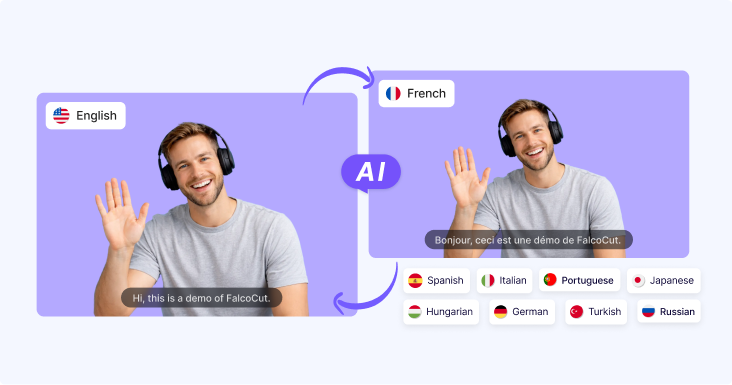
AI Video Translator
AI Video Translator – Instantly translate your videos into 30+ languages with accurate subtitles, natural AI dubbing, and seamless lip sync, making your content accessible to global audiences across social media, e-learning, and marketing.

AI Video Generator
Generate videos from text or images in minutes. Turn scripts, ideas, or visuals into engaging videos with AI-powered scenes, motion, and visuals—no filming or editing required. Perfect for marketing videos, social content, product showcases, and storytelling at scale.

AI Avatar Generator
Create lifelike digital avatars in minutes. Perfect for presentations, marketing, and social media—our AI avatar generator brings your message to life with realistic expressions and gestures.
Frequently Asked Questions
Can FalcoCut translate Chinese subtitles to English automatically?
Yes. Translate Subtitles detects spoken Chinese and also recognizes on-screen text, then generates English subtitles for your video. You can choose bilingual subtitles or translated-only subtitles, depending on your audience. After that, you can adjust font, size, color, position, and background for a clean, readable look.
Does FalcoCut support Chinese audio video translation with AI dubbing?
Yes, FalcoCut can translate Chinese speech and generate an English AI voice when you enable Translate Voice. You can select a voice style that fits your video, such as a calm or energetic delivery. For videos with a talking presenter, you can also enable Lip Sync to better match mouth movement to the new English audio.
What types of Chinese videos work best for Chinese English translation video results?
Clear speech and low background noise usually give the best Chinese to English video translation results. If your video has multiple speakers, try to use clean audio so the transcription stays accurate. For lessons or tutorials, bilingual subtitles can help viewers follow both Chinese and English at the same time.
Can I create both English subtitles and English voice in one run?
Yes, you can enable Translate Subtitles and Translate Voice together for a complete Chinese to English video translator workflow. This creates English captions and an English dubbed track in one process. You can then choose bilingual or translated-only subtitles and fine-tune the subtitle styling before downloading your final video.
How fast is FalcoCut for translating a Chinese YouTube video to English?
Processing is designed to be fast, and it runs in your browser with no setup needed. Time depends on video length and which options you enable, such as voice translation and lip sync. For most creators, this means you can turn Chinese content into English versions quickly without manual subtitle typing.
Which languages are supported if I also need another target language besides English?
FalcoCut supports 35 languages overall, and you can pick up to two target languages in one project. That means you can generate English plus another language version from the same Chinese source. Chinese and English are fully supported for subtitles, voice translation, and lip sync, giving you a complete workflow.
Can I edit the English subtitles after translating my Chinese video to English?
Yes, you can customize how the English subtitles appear before you export the video. Choose bilingual or translated-only subtitles, then adjust font, size, color, position, and background for readability. This helps you match your brand style and keep captions easy to read on mobile screens.
Is there a free option, and what download choices do I get?
You can start with a free option and export using Download with Watermark. If you upgrade to a paid plan, you can download without a watermark for a more professional finish. This lets you test Chinese to English video translation quality before paying for final exports.
Is my Chinese video secure when I upload it for translation?
FalcoCut is built to handle your videos and data securely during upload and processing. Your file is used to generate the translated subtitles and, if selected, the English voice and lip sync output. If you work with sensitive content, you can keep control by downloading results from My Creations and managing your files carefully.