
Translate Arabic Video to English Online with AI
Translate Arabic video to English in FalcoCut by uploading your file. FalcoCut auto-translates voice and subtitles, adds lip sync, supports bilingual or translated-only captions, and lets you style fonts, size, color, and position.
Drag& Drop, or
Preview Clear Translations and Natural Voice Results
Preview the before-and-after side by side with FalcoCut. In minutes, you can get clean English subtitles and natural English voice that stays clear and easy to follow.
 English
 Spanish
 Japanese
Unlock Clear English Results From Any Arabic Clip
FalcoCut helps you turn Arabic speech into clean English subtitles and natural-sounding dubbing. You get a polished video fast, even if you have never edited before.
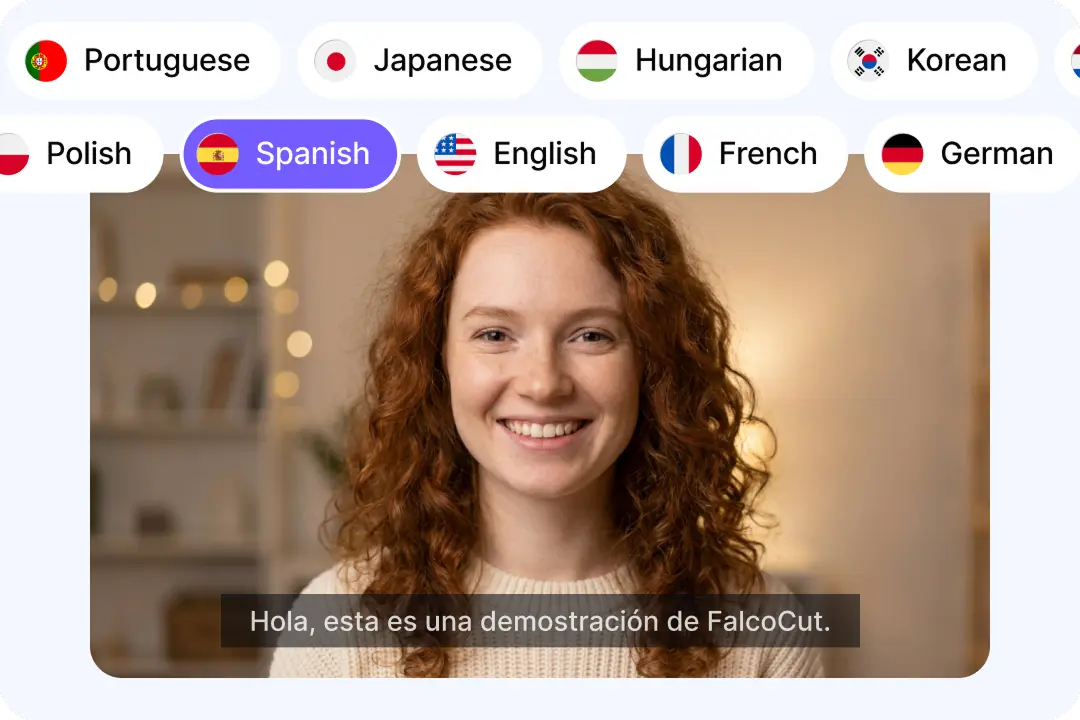
Broader Reach Across 35 Languages
Share your Arabic content with viewers who prefer English and many other languages. FalcoCut supports 35 languages for subtitles, voice, and lip sync on key options. This helps you grow faster without making separate edits for each market. You can keep your message clear across regions and platforms. It works well for creators, teams, and small brands. Your videos stay easy to follow, even for first-time viewers.
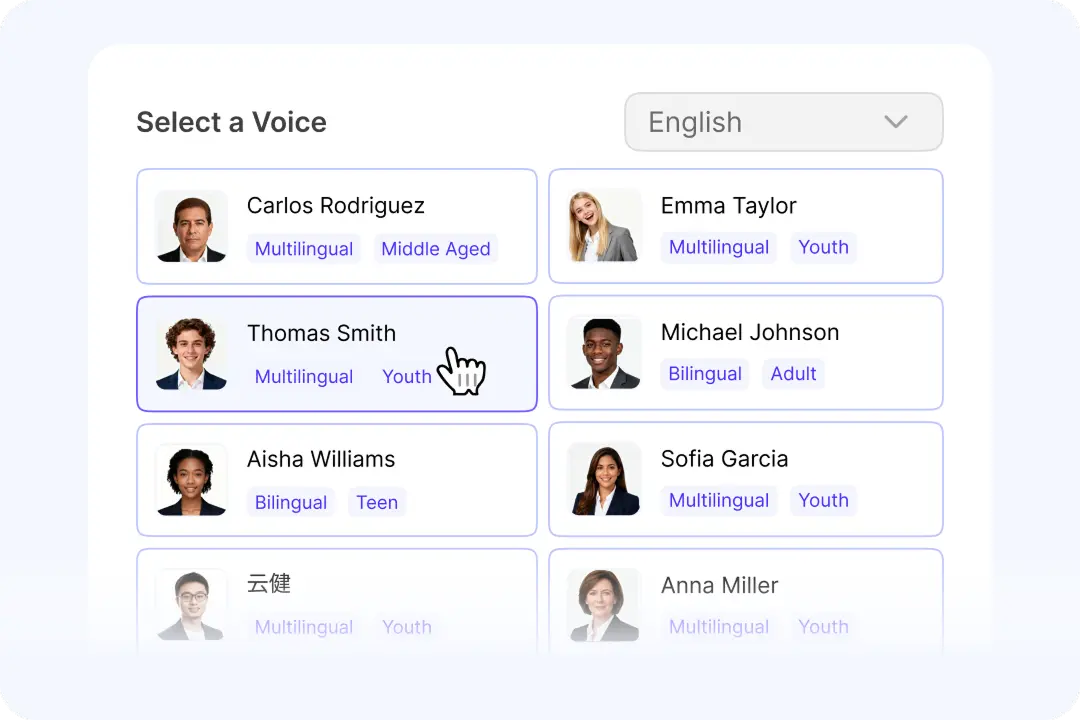
Natural AI Voices That Fit Your Brand
Pick a voice that matches your video style, like calm, bold, or friendly. FalcoCut offers many realistic AI voices, so the English track sounds smooth. A better voice keeps viewers watching longer and builds trust. You can match the speaker’s age and tone for a more believable result. This helps training, ads, and social videos feel consistent. Your message lands clearly without sounding robotic.
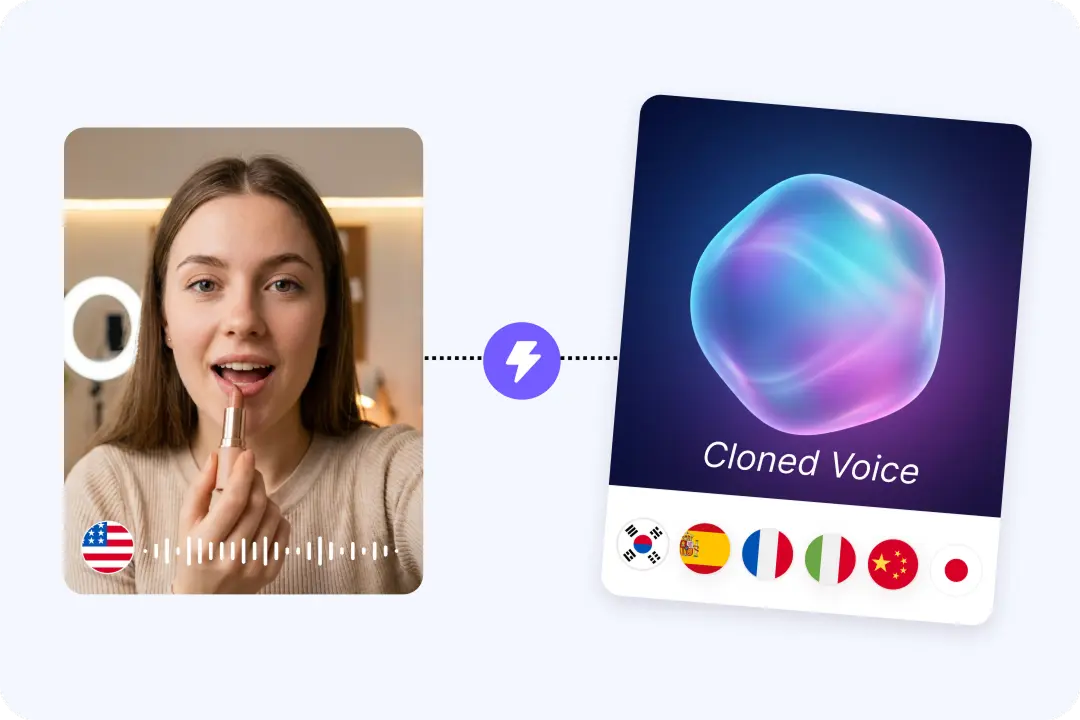
Dubbing Options for a Clean, Spoken Finish
English dubbing helps viewers focus without reading every line on screen. FalcoCut can translate the original Arabic speech and generate a new English voice. This makes your video feel made for English audiences, not just copied over. It is great for talking-head clips, lessons, and product demos. You can also keep the original audio if you prefer a more authentic feel. Either way, your story stays clear and easy to follow.
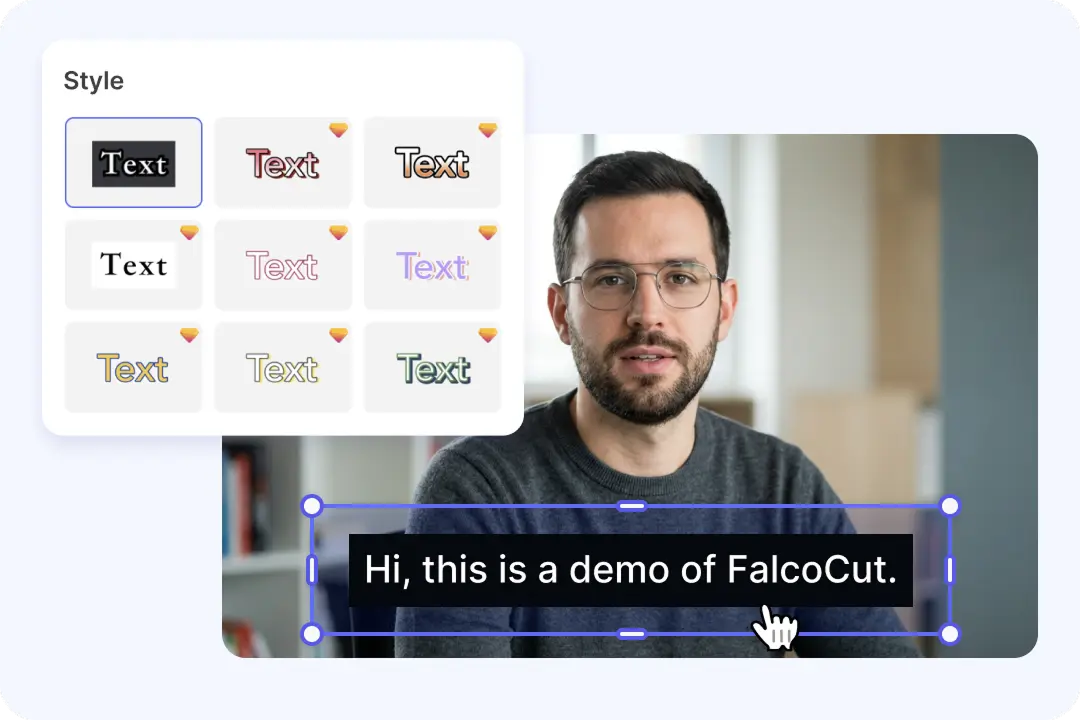
Accurate Subtitles You Can Edit in Seconds
Subtitles help viewers understand your video even with sound off. FalcoCut detects speech and can also catch on-screen text for stronger subtitle results. You can choose bilingual subtitles or English-only subtitles for a cleaner look. Simple editing tools let you fix names, slang, or brand terms quickly. This is useful when Arabic phrases need a better English match. Your final captions look neat and ready to publish.
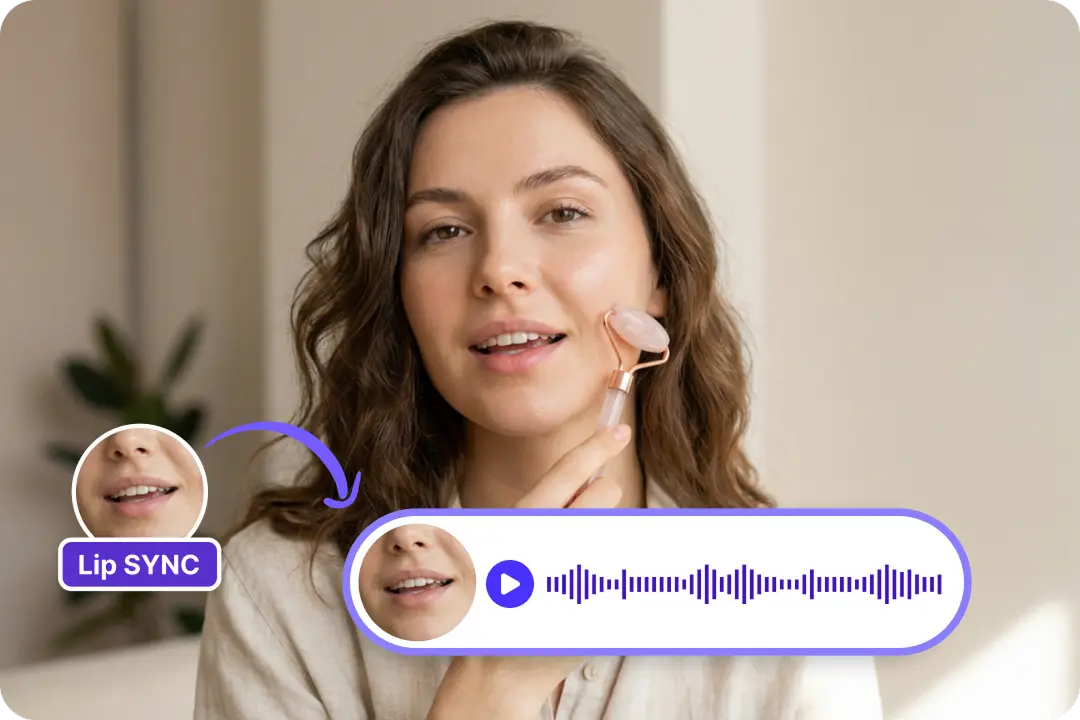
Lip Sync That Keeps Faces Looking Real
When lips match the English voice, your video feels more natural and trusted. FalcoCut lip sync aligns mouth movement to the new audio for a smoother watch. This matters most for interviews, presenters, and close-up shots. Better sync reduces distractions and helps viewers focus on your message. It also makes dubbed ads look more professional on social platforms. The result feels like a real performance, not a rough edit.
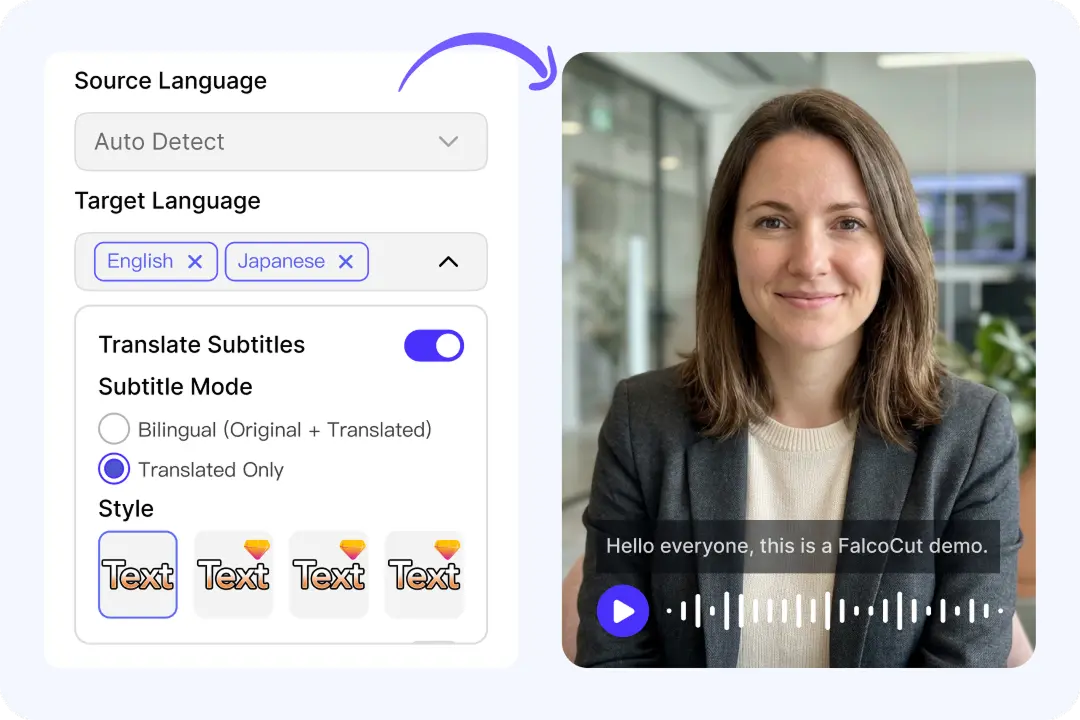
One Workspace for Subtitles, Voice, and Export
You should not need five tools to finish one translated video. FalcoCut brings subtitles, voice translation, lip sync, and styling into one place. This saves time and avoids messy file handoffs between apps. You can keep fonts, colors, and placement consistent across your content. The workflow stays simple, so beginners can still get a pro look. When you are done, download from My Creations in a few clicks.
How to Translate Arabic Video to English in FalcoCut
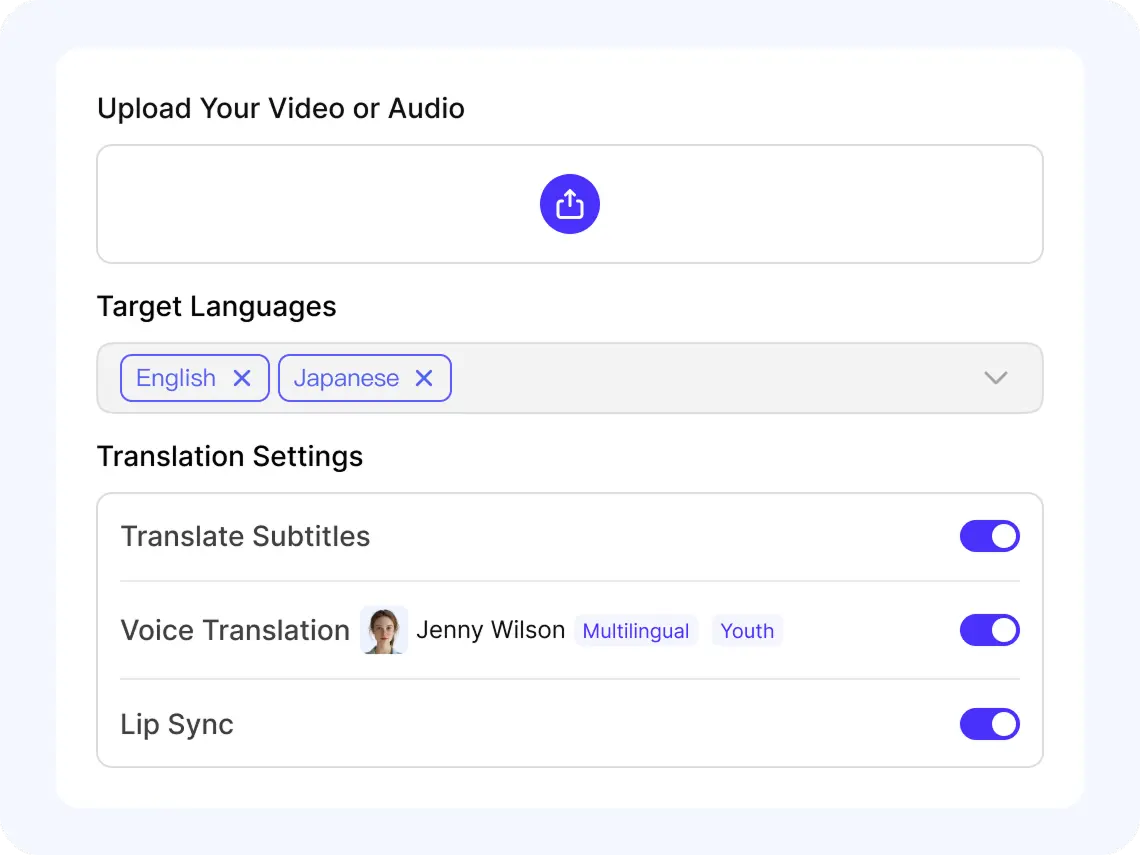
Step 1: Upload Your Clip
Click Add Video to Translate, or pick a file from Select From Library. Upload MP4 or MOV, then wait a moment for the preview to load. Check the audio is clear before you move on.
Step 2: Set Source and Target Languages
Choose Arabic as the Source Language, then set English as your Target Language. You can add a second target language if you want two versions at once. Confirm the language picks before you start processing.
Step 3: Review Subtitles and Voice Options
Turn on Translate Subtitles to capture speech and on-screen text in English. Enable Translate Voice to create an English AI dub, then pick a voice style you like. Use Lip Sync for talking-head videos to match mouth movement.
Step 4: Export and Share Your Video
Preview the result and adjust subtitle style like font, size, color, and position. Pick Bilingual Subtitles or Translated Only for a clean look. Go to My Creations to download, then share your new video anywhere.
Unlock More Reach Across Real-World Translation Needs
Cover More Markets with 35 Supported Languages
FalcoCut supports 35 languages, so you can reach viewers almost anywhere. Upload your Arabic video, pick English, and get clear subtitles and natural-sounding voice options in a few clicks.
























A Reliable Way to Translate Arabic Videos Into English
FalcoCut helps you create clear English versions of Arabic videos without complex tools or long waits. It is built for speed, steady results, and a simple workflow you can trust.
Start Fast in Your Browser
FalcoCut runs in your browser, so you can begin right away without installs or updates. The layout is simple, so first-time users can move fast. Upload your MP4 or MOV and preview it in one place. You spend less time setting up and more time publishing.
Get Results in Minutes, Not Hours
Arabic to English video translation should not slow down your whole day. FalcoCut is designed to process quickly and keep your work moving. You can create translated versions for posts, lessons, or demos on a tight schedule. Faster output means you can share more often.
Choose Subtitles, Voice, or Both
Different videos need different outputs, and FalcoCut gives you clear choices. You can translate subtitles, translate voice, or use both for a complete English version. You can also pick up to two target languages at once for wider reach. This keeps your workflow flexible without extra tools.
Clear English That Stays True to Meaning
When you translate Arabic video to English, small mistakes can change the message. FalcoCut focuses on clean subtitles and natural-sounding voice results. You can also use bilingual subtitles to keep the original line beside the English line. This helps viewers follow along and builds trust.
Lower Costs Than Outsourcing Every Video
Hiring help for every clip can get expensive, especially when you post often. FalcoCut lets you translate and deliver more content with a simple, repeatable process. You can test with a free download option before paying for a clean export. That makes budgeting easier for creators and teams.
Built for Safer Handling of Your Content
Your videos can include faces, lessons, or business details, so trust matters. FalcoCut keeps the workflow contained inside the product from upload to download. You control what you export and when you share it. This reduces risky handoffs and helps you stay confident while working.
Manual Video Translation vs. FalcoCut AI Automation
Manual workflows take time, cost more, and are hard to scale. FalcoCut gives you a faster, simpler, and more affordable way to translate, subtitle, and dub videos.
Traditional Manual Workflow
- •Slow back-and-forth edits
- •High cost per video
- •Hard to scale to more videos
- •Inconsistent tone across projects
- •Many tools and handoffs to manage
FalcoCut AI Translation Workflow
- •Fast processing from upload to export
- •Lower cost with an automated workflow
- •Subtitles and dubbing in one place
- •AI voice, lip sync, and voice cloning
- •Support for 30+ languages at once
Explore Our AI Tools
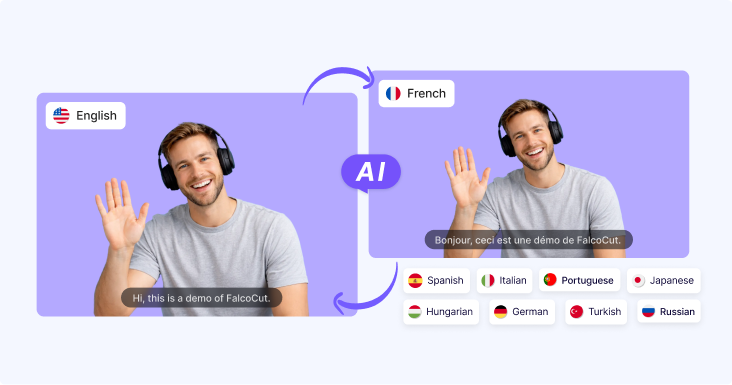
AI Video Translator
AI Video Translator – Instantly translate your videos into 30+ languages with accurate subtitles, natural AI dubbing, and seamless lip sync, making your content accessible to global audiences across social media, e-learning, and marketing.
AI Video Generator
Generate videos from text or images in minutes. Turn scripts, ideas, or visuals into engaging videos with AI-powered scenes, motion, and visuals—no filming or editing required. Perfect for marketing videos, social content, product showcases, and storytelling at scale.

AI Avatar Generator
Create lifelike digital avatars in minutes. Perfect for presentations, marketing, and social media—our AI avatar generator brings your message to life with realistic expressions and gestures.
Frequently Asked Questions
Can I get English subtitles and an English AI voice at the same time?
Yes, you can enable Translate Subtitles and Translate Voice in the same project for a complete Arabic to English video translation. FalcoCut will transcribe the Arabic speech, translate it, then generate English subtitles and an English AI voice. You can also pick bilingual subtitles if you want Arabic and English shown together.
Does FalcoCut support lip sync for Arabic to English dubbing?
Yes, Arabic and English are fully supported for lip sync when you translate voice into English. Turn on Lip Sync to better match mouth movement to the new English narration. This works best for talking-head videos, interviews, and lessons where viewers watch the speaker closely.
Which video formats can I upload for Arabic to English video translation?
FalcoCut supports MP4 and MOV uploads for translation projects in your browser. After you upload, a preview appears automatically so you can confirm the right file is selected. If you already uploaded it before, you can also choose it from Select From Library.
How long does it take to convert an Arabic video into English?
Processing time depends on video length and which options you enable, such as subtitles, voice, and lip sync. Most users can start in the browser quickly because there is no software setup. You can keep working in the same tab while FalcoCut generates your English output.
Can I translate Arabic to English and another language in one run?
Yes, you can choose up to two target languages in one project to create multiple versions at once. For example, you can output English plus another language while keeping Arabic as the source. This saves time when you publish the same video to different audiences.
How can I edit the English subtitles after the translation?
After subtitles are generated, you can adjust how they display and refine the look for your audience. Choose bilingual subtitles for learning content, or translated-only subtitles for a clean English layout. You can also change font, size, color, position, and background to match your video style.
Will the English translation include on-screen Arabic text too?
Translate Subtitles can recognize spoken content and also recognizes on-screen text during subtitle generation. That means FalcoCut can help you produce English subtitles that reflect what is said and what appears in the frame. For best clarity, review the final subtitles and choose a style that stays readable on busy scenes.
Is there a free way to try Arabic to English video translation?
Yes, you can process a video and download the result with a watermark for free. If you need a clean export, you can download without a watermark on a paid plan. This lets you test Arabic to English video translation quality before you commit to a purchase.
Is my Arabic video kept secure when I upload it to FalcoCut?
FalcoCut is browser-based, so you can upload, translate, and download without installing extra software. Your video is handled for processing so the system can generate English subtitles, dubbing, and lip sync if selected. If you work with sensitive content, use only the files you have rights to share and manage access to your account.