Translate Spanish Video to Japanese
Upload your Spanish video in FalcoCut and instantly convert it into natural‑sounding Japanese. Our AI handles dubbing, subtitles, lip sync, and translation for you. Create high‑quality multilingual content with just a few clicks.
Drag& Drop, or
Watch Your Video Turn Into a Fully Translated Version
FalcoCut presents fully translated videos that keeps your message sharp and easy to understand in any language. Enjoy fast turnaround and consistent quality for product demos, ads, and promotional content.
 English
 Spanish
 Japanese
Best Spanish-to-Japanese Video Translator for Every Campaign
FalcoCut gives marketers, sellers, and creative teams a fast, reliable way to produce polished translated Spanish videos. Every feature is designed to help you deliver clear, professional content without slowing down your workflow.
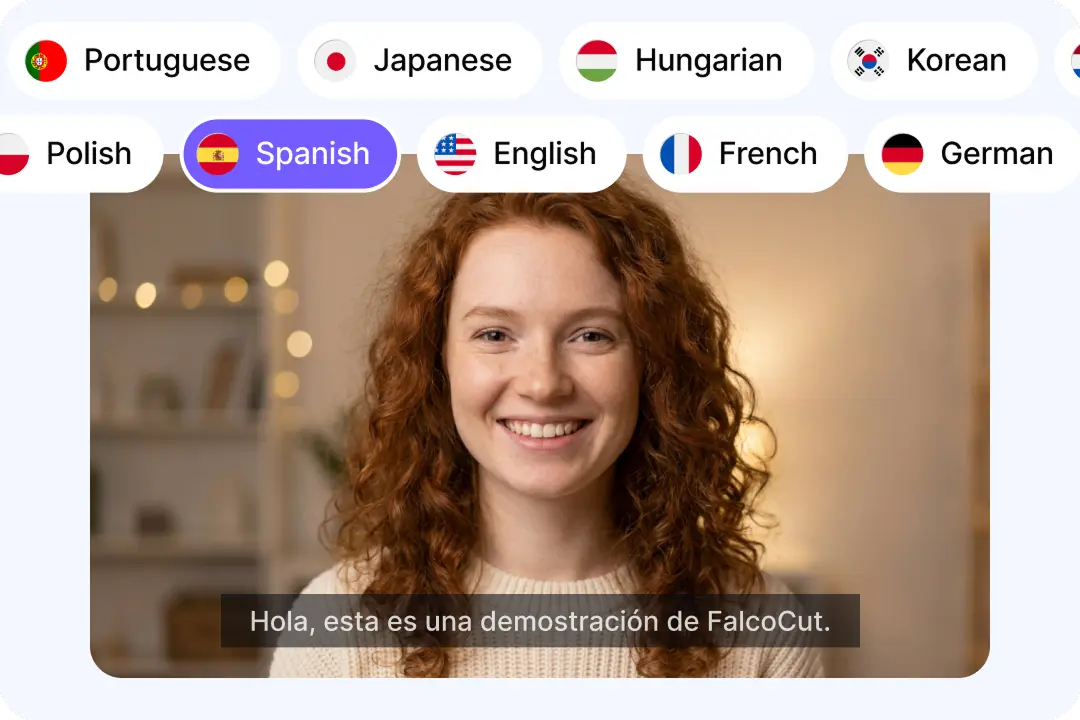
Accurate Translation with Multilingual Supports
FalcoCut combines advanced speech recognition with AI translation to deliver clear, context‑aware results across more than 30 supported languages, such as Spanish, German, Chinese and Japanese. It helps your videos stay accurate and consistent, even when handling complex product details or fast‑paced dialogue. The system also produces results far faster than traditional workflows, helping teams meet tight deadlines without losing quality. Viewers stay engaged because the translated message remains easy to understand across different markets. Your content becomes more effective, more scalable, and more ready for commercial use across global channels.
Translate Spanish Video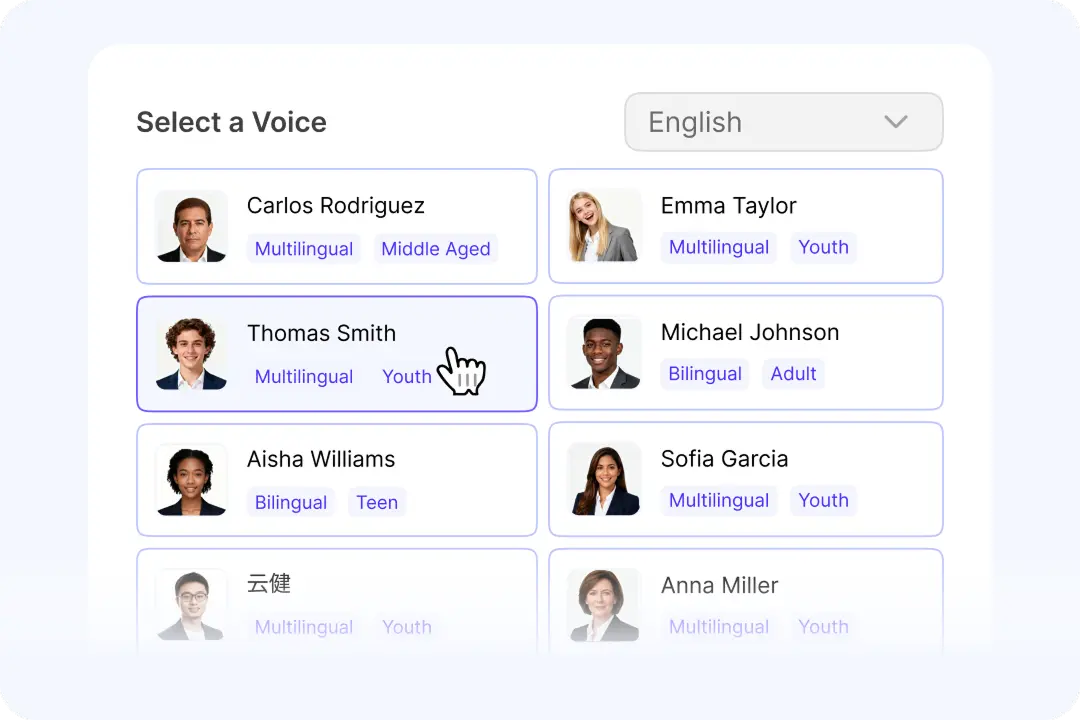
Natural Voiceovers That Match Your Brand Style
Every brand needs audio that feels real, and FalcoCut delivers more than 100 voices that sound natural, smooth, and trustworthy. These voice options support a wide range of tones and styles, giving teams the freedom to match their brand identity across campaigns. This variety makes it easier to create unified ads, demos, and social posts without extra production work. Japanese viewers often respond better to audio that sounds real and easy to understand. With this flexibility, creators can shape the right mood for any project while keeping every translated video polished and ready for commercial use.
Translate Spanish Video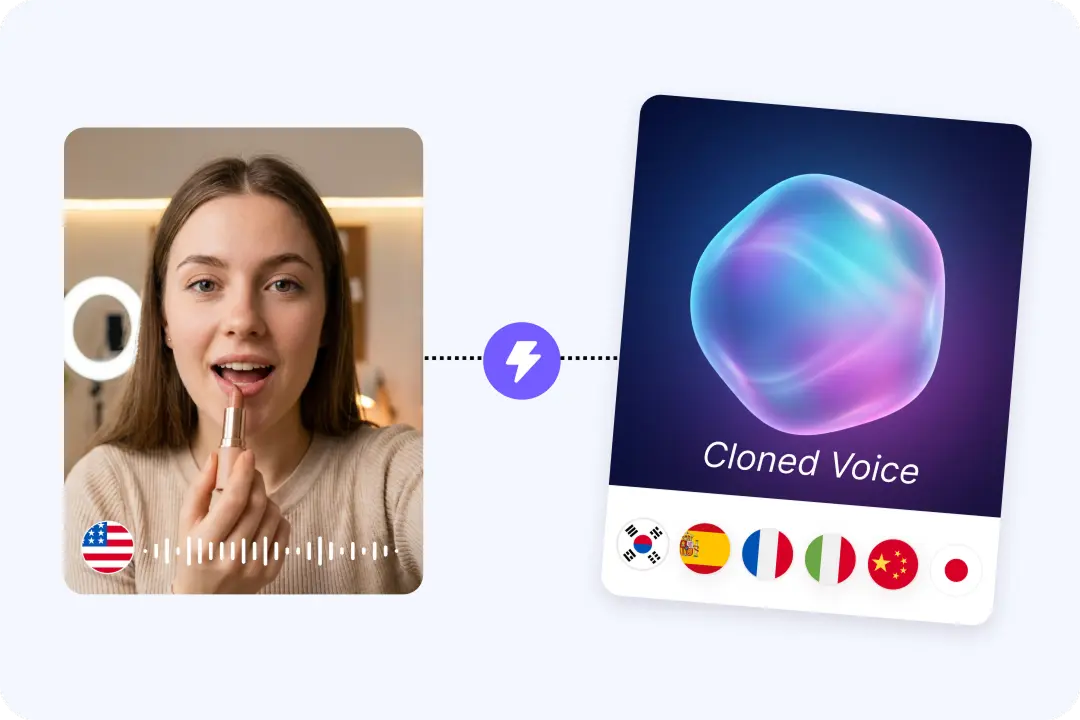
Flexible Voice Translation & AI Dubbing
FalcoCut uses advanced AI voice cloning to recreate your original Spanish video with clear, expressive audio that carries your tone into Japanese. It can also generate a fully AI‑dubbed Japanese voice using high‑quality voice models for a more authentic result. Global marketing teams can keep their brand personality consistent across markets while ensuring every video maintains the same tone, pacing, and emotional style across languages. You can also keep your original Spanish voice and layer a Japanese translation on top, giving you more flexibility for different formats and platforms. With these options, your translated videos stay engaging, recognizable, and ready for global campaigns.
Translate Spanish Video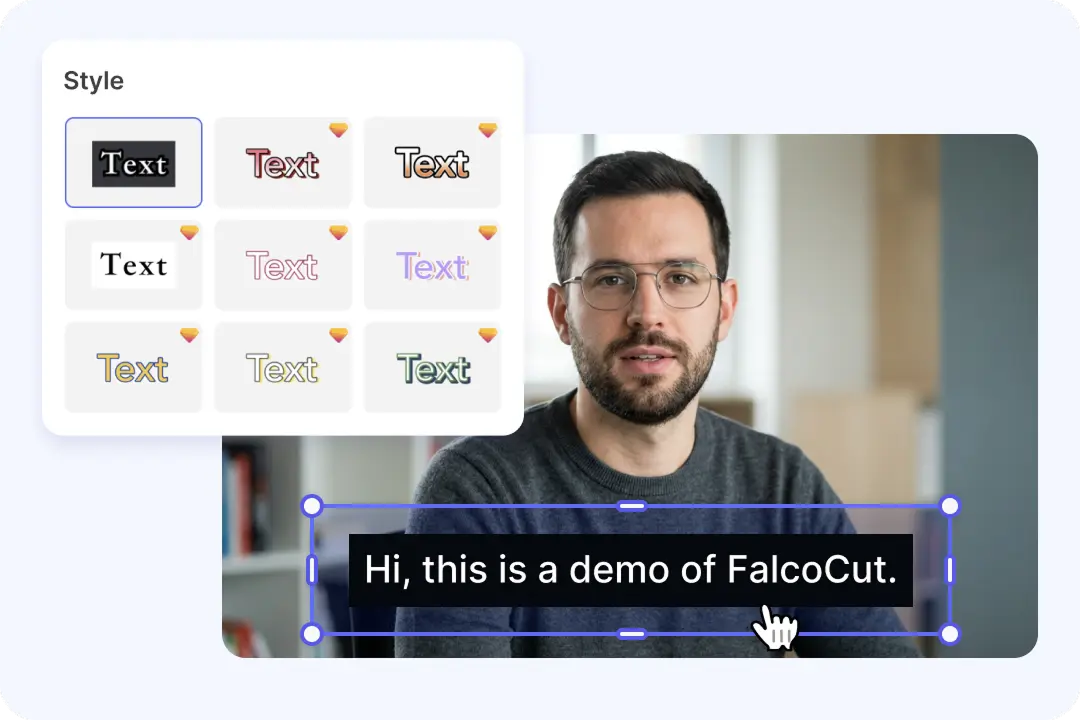
Smart Subtitles for Clear, Accessible Messaging
When your video shifts from Spanish to Japanese, clear subtitles will help viewers stay engaged longer by making every message easier to read and understand. FalcoCut supports multiple display modes, including bilingual and translated‑only subtitles, so teams can choose the format that fits their campaign goals. You can select from a wide range of subtitle styles that match your brand look, from simple text to bold, high‑contrast designs. Our system can even translate based on an uploaded original subtitle file, helping you keep accuracy high when working with detailed scripts. With FalcoCut, your videos become easier to publish, repurpose, and share across platforms that rely on clear and accessible communication.
Translate Spanish Video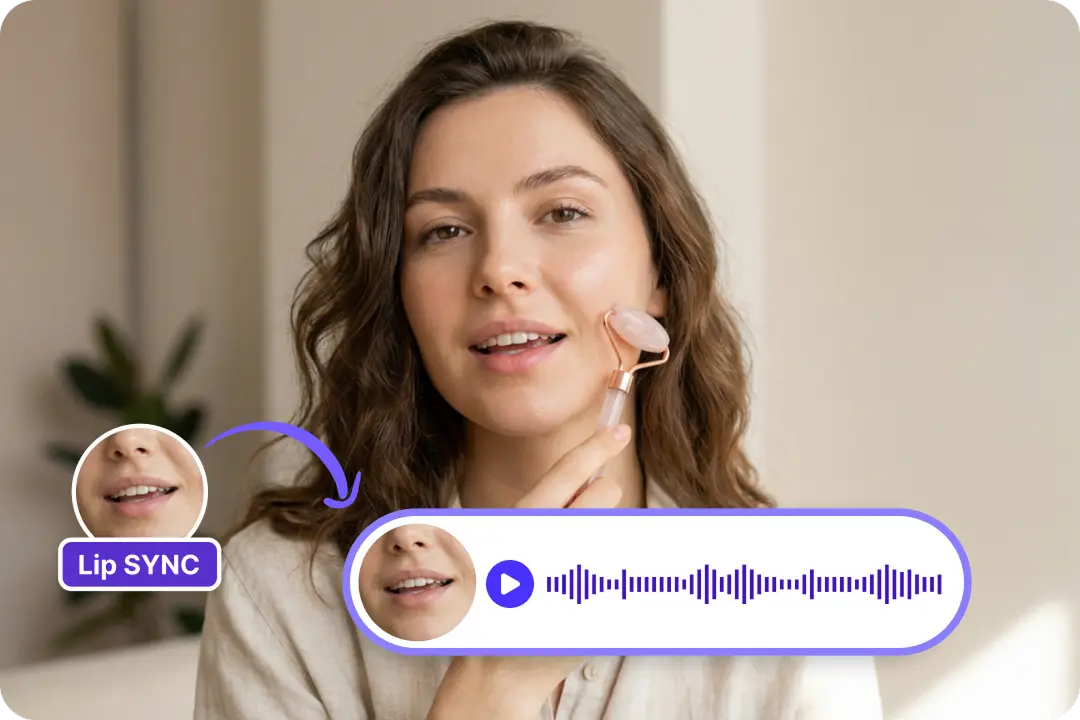
Advanced Lip Sync for Smooth Delivery
Lip sync technology in FalcoCut aligns translated audio with on‑screen speech so your Spanish‑to‑Japanese videos look natural and believable. This precise matching helps your content feel more polished and reduces the awkward timing issues that can break immersion. Brands that rely on product showcases, ads, or creator‑led content gain a more professional result that supports clear communication. The synchronized delivery also keeps your message strong by preserving expression and rhythm across languages. Teams can publish global versions without extra manual fixes or complex editing steps. With this level of realism, your translated videos appear unified, smooth, and ready for publishing widely.
Translate Spanish Video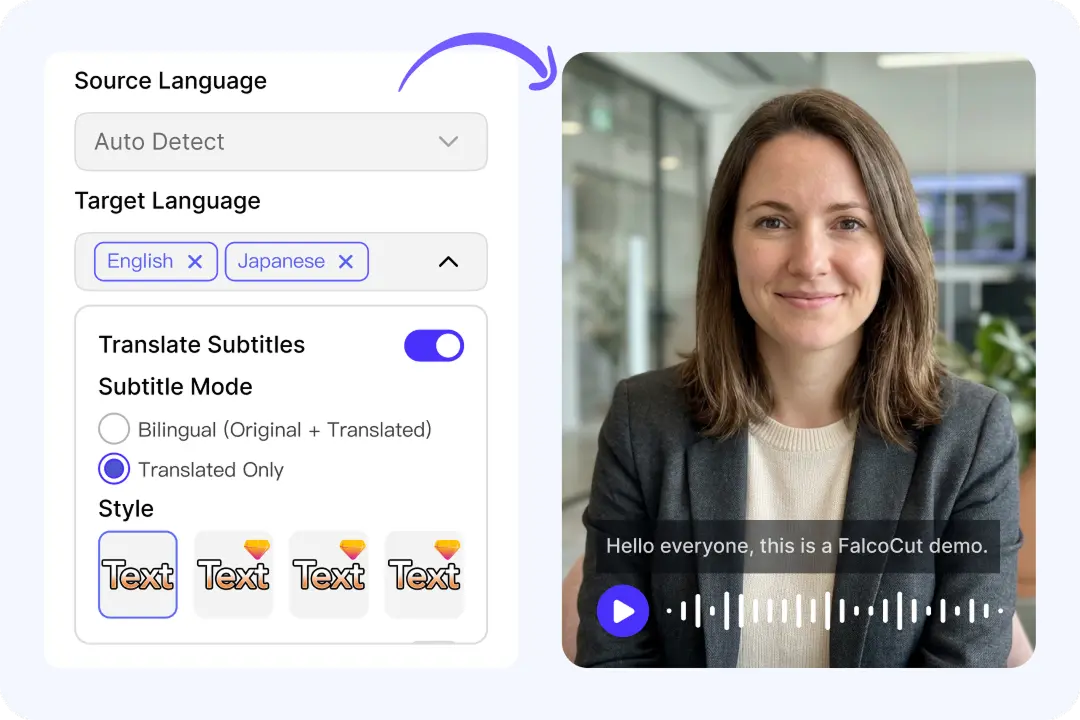
All‑in‑One Workspace for Global Video Translation
FalcoCut brings video translation, dubbing, subtitles, and lip sync into one organized workspace that helps teams move faster across many types of content, including UGC ads, product walk‑throughs, interviews, and promotional clips. By keeping every localization tool in a single place, the platform removes the need to switch between different apps or services, shortens production time and reduces the delays that often slow down global campaigns. Quality stays consistent because FalcoCut applies the same translation and processing standards across every supported language. With fewer external tools to manage, teams save both time and cost while producing global‑ready content at scale.
Translate Spanish VideoHow to Translate Spanish Video to Japanese in FalcoCut
Step 1: Upload Your Spanish Video
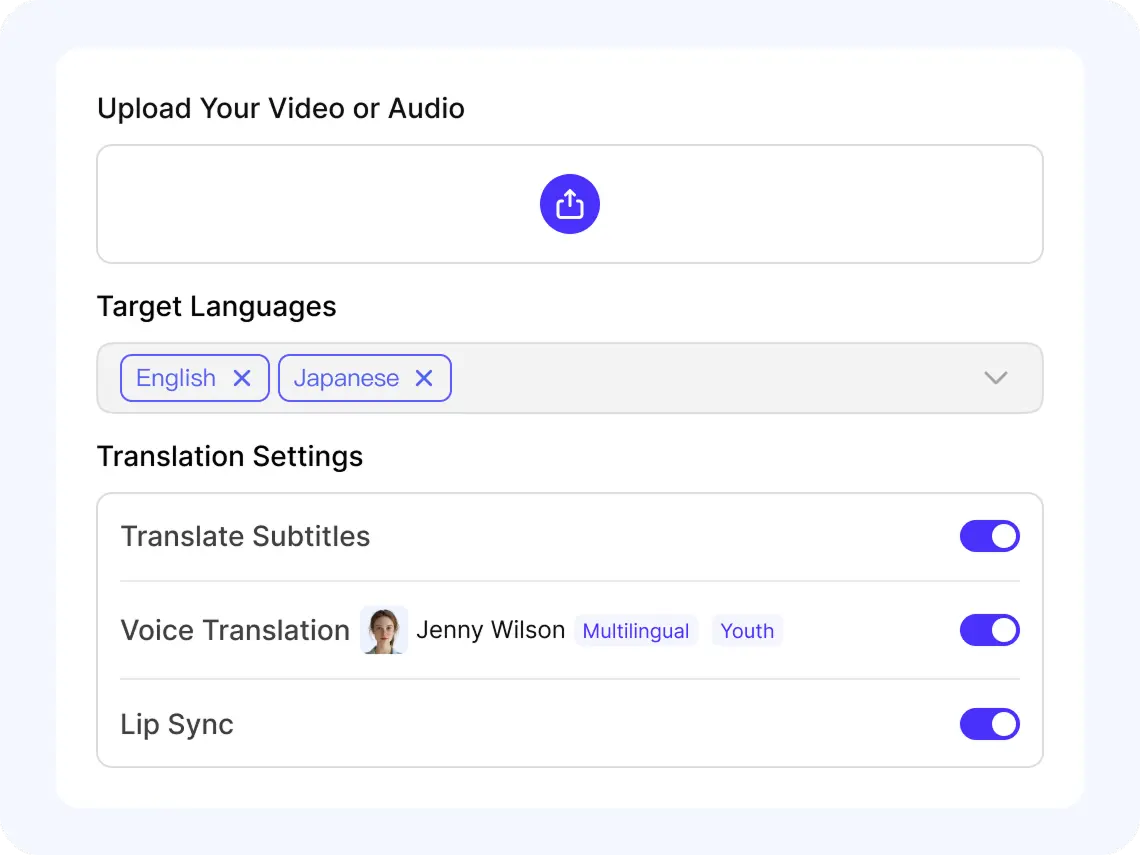
Upload an MP4 or MOV from your device, or pick a file already saved in your FalcoCut library. The platform prepares a preview so you can check the content before translating.
Step 2: Set Source and Target Languages
Choose the original language of your video, then select the language you want to translate into. FalcoCut supports up to 2 target languages.
Step 3: Customize Subtitles and Voice
Turn on subtitle translation to capture speech, then choose whether you want bilingual or translated‑only subtitles. If you prefer dubbing, select an AI voice or keep your original voice through voice cloning, and enable lip sync for a natural result.
Step 4: Save and Share Your Video
Pick your subtitle style and confirm the final preview. When everything looks right, export your translated video and use it across your marketing channels, social platforms, or internal projects.
Powerful Ways Teams Use FalcoCut for Translation
Reach Global Audiences with Fast AI Translation
FalcoCut makes video translation simple by supporting 35 languages across every type of content. Anyone can upload a video and get smooth, accurate results.
























Your Trusted Platform for Fast, Accurate Video Translation
FalcoCut gives teams a reliable way to translate Spanish videos into Japanese quickly without technical steps or complicated workflows. Everything runs in your browser, saving time and keeping your content secure from upload to export.
Simple Workflow
Run the entire translation process directly in your browser without complex setup and you can start working immediately. Even first‑time users can translate videos confidently.
Lightning‑Quick Processing
Accelerate your production timelines with FalcoCut's fast translation speeds that prevent delays across global campaigns. You get polished results without long waiting times.
Various Editing Tools
Adapt your videos with subtitles, dubbing, voice translation, and lip sync that support any content style. Reach diverse audiences easily by choosing the translation approach that best matches your goals.
High‑Accuracy Results
Maintain clarity across languages with accurate subtitles and natural‑sounding voice output. Protect your message by ensuring translations stay consistent and dependable in every region.
High Value, Low Cost
Reduce localization expenses by using one platform that replaces multiple translation tools and services. Support teams of any size by making global‑ready content more affordable and scalable.
Security You Can Rely On
Protect your videos with controlled handling throughout the translation process. Build confidence across teams by ensuring sensitive content remains secure from start to finish.
Old Way vs. FalcoCut AI Video Translation
FalcoCut gives you a faster, more scalable, and more affordable alternative to manual video translation, helping you produce polished multilingual content in minutes.
Old Way
- •Turnaround takes days or weeks
- •Costs 5‑10× more per video
- •Quality varies between translators
- •Requires heavy manual editing
- •Hard to scale beyond a few videos
FalcoCut AI Video Translation
- •Delivers translated results in minutes
- •Cuts costs by over 70%
- •Automates 80% of the workflow
- •Keeps quality consistent
- •Supports 30+ languages instantly
Explore Our AI Tools
AI Video Translator
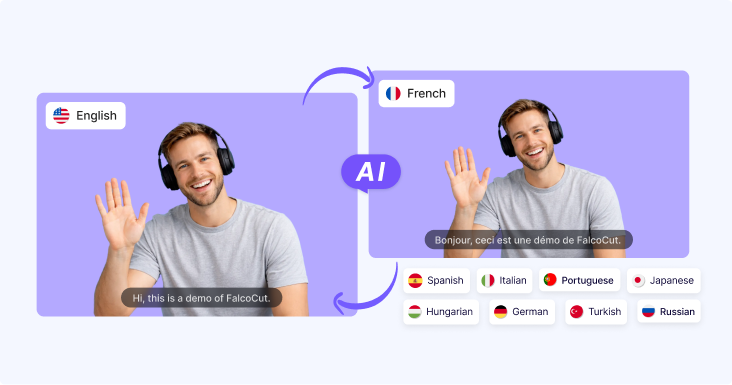
AI Video Translator – Instantly translate your videos into 30+ languages with accurate subtitles, natural AI dubbing, and seamless lip sync, making your content accessible to global audiences across social media, e-learning, and marketing.

AI Video Generator
Generate videos from text or images in minutes. Turn scripts, ideas, or visuals into engaging videos with AI-powered scenes, motion, and visuals—no filming or editing required. Perfect for marketing videos, social content, product showcases, and storytelling at scale.

AI Avatar Generator
Create lifelike digital avatars in minutes. Perfect for presentations, marketing, and social media—our AI avatar generator brings your message to life with realistic expressions and gestures.
Frequently Asked Questions
How does Spanish‑to‑Japanese video translation work?
FalcoCut first converts the Spanish audio into text using advanced speech recognition. The system then translates the transcript into Japanese with consistent, high‑quality output. You can enable subtitles, dubbing, or lip sync depending on your preferred format. Each step is automated to reduce manual editing and speed up production. The final result is processed quickly and ready for export.
Do I need transcription before translation?
Yes. FalcoCut automatically transcribes the Spanish audio before generating the Japanese translation. This ensures accurate timing for subtitles and smooth alignment for dubbing. You do not need to prepare or upload any transcript manually. The entire transcription step happens automatically inside the workflow.
How long does video translation usually take?
FalcoCut processes most videos within minutes depending on length and audio clarity. Shorter clips finish quickly, while longer videos require slightly more time. The automated workflow eliminates delays common in manual translation processes. You can expect consistent performance across different project types. Most creators receive their translated output far faster than traditional methods.
Can I translate audio files instead of video?
No. FalcoCut is designed specifically for video translation and does not support standalone audio files currently. The system requires a video format to generate subtitles, dubbing, or lip sync correctly. Audio‑only uploads cannot be processed because the workflow depends on video timing and structure. You will need to convert your audio into a video file before uploading. This ensures the platform can deliver accurate and properly aligned translation results.
Which video formats can I upload?
FalcoCut supports widely used video formats like MP4 and MOV for smooth uploading and reliable processing. These formats ensure stable transcription and accurate translation throughout the workflow. You can upload your existing video files without converting them into different formats. The platform is optimized to handle common video standards used across major devices. Audio‑only formats are not supported, so please upload a video file for translation.
Which languages are supported besides Spanish and Japanese?
FalcoCut supports over 35 languages for both subtitles and dubbing. You can translate videos into multiple target languages, like Chinese, English, Arabic, Hindi, and Italian, within the same workflow. The platform is built for creators publishing across global regions. A full list of supported languages is available directly inside the tool. This flexibility helps teams reach wider audiences with minimal effort.
What's the difference between dubbing and lip sync?
Dubbing replaces the original audio with a new AI‑generated voice in the target language. Lip sync adjusts the translated audio to better match the speaker's mouth movements. This creates a more natural and realistic viewing experience for audiences. You can enable either option depending on your project style and goals. Both features help improve clarity and engagement across languages.
Can I translate multiple videos at once?
Yes. FalcoCut allows batch translation, but all videos must share the same resolution for consistent processing. This requirement ensures accurate subtitle timing and smooth dubbing across every file. The system applies identical translation settings to maintain quality across the entire batch. You can process multiple clips efficiently when they follow the same technical specifications. This workflow helps teams handle larger projects without repeating manual steps.
Is there a watermark on free exports?
Yes. FalcoCut includes a small watermark on videos exported with the free plan. Upgrading to a paid plan removes all watermarks from your translations. Paid plans also unlock additional minutes and advanced features. This gives you more flexibility for professional or high‑volume projects. You can choose the plan that best fits your workflow needs.