Sora 2 Pro AI Video Generator
Create stunning, high-quality videos with Sora 2 Pro on FalcoCut. Transform your text prompts and images into cinematic AI-generated videos with unmatched realism and creativity.
Why Creators Choose Sora 2 Pro
Physical World Simulation
Sora 2 Pro is built on advanced world simulation models that understand physics, motion, and spatial relationships. It generates videos with realistic movement, natural lighting, and believable environments, making scenes feel closer to real-world footage.
Long-Form Cinematic Generation
Create longer, more complex scenes with consistent characters, environments, and camera motion. Sora 2 Pro understands cinematic language such as camera angles, shot transitions, and scene composition, enabling multi-shot storytelling directly from text prompts.
Native Video Intelligence
Sora 2 Pro is trained directly on video data, allowing it to understand motion, timing, and visual continuity. This enables smoother animation, more accurate object behavior, and better scene coherence across frames.
Discover What Sora 2 Pro Can Create
FalcoCut integrates Sora 2 Pro to transform simple prompts, ideas, or product photos into high-quality AI videos. Create cinematic scenes, product ads, and social media content without complex editing.
How to Create Videos with Sora 2 Pro in FalcoCut
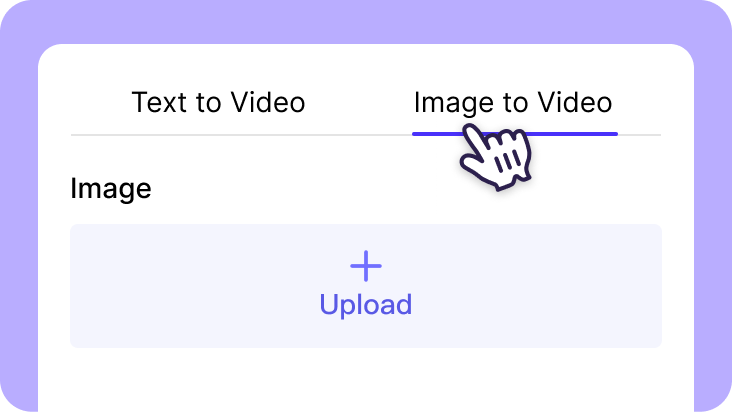
Step 1: Choose Your Input
Describe the video you want to create in Text to Video, or upload an image in Image to Video to animate your visuals.
Step 2: Select the Sora 2 Model
Choose Sora 2 Pro inside FalcoCut to deliver realistic motion, detailed environments, and multi-shot storytelling for professional-grade results.

Step 3: Generate and Export
Click Generate to create your AI video in seconds. Download or share your video instantly for social media or marketing use.
Why Choose Sora AI Video Generator on FalcoCut
Unlock limitless storytelling potential by using FalcoCut to harness the world-class physics and realism of Sora AI. This seamless integration allows you to turn complex ideas into breathtaking, high-definition videos with just a simple text description.
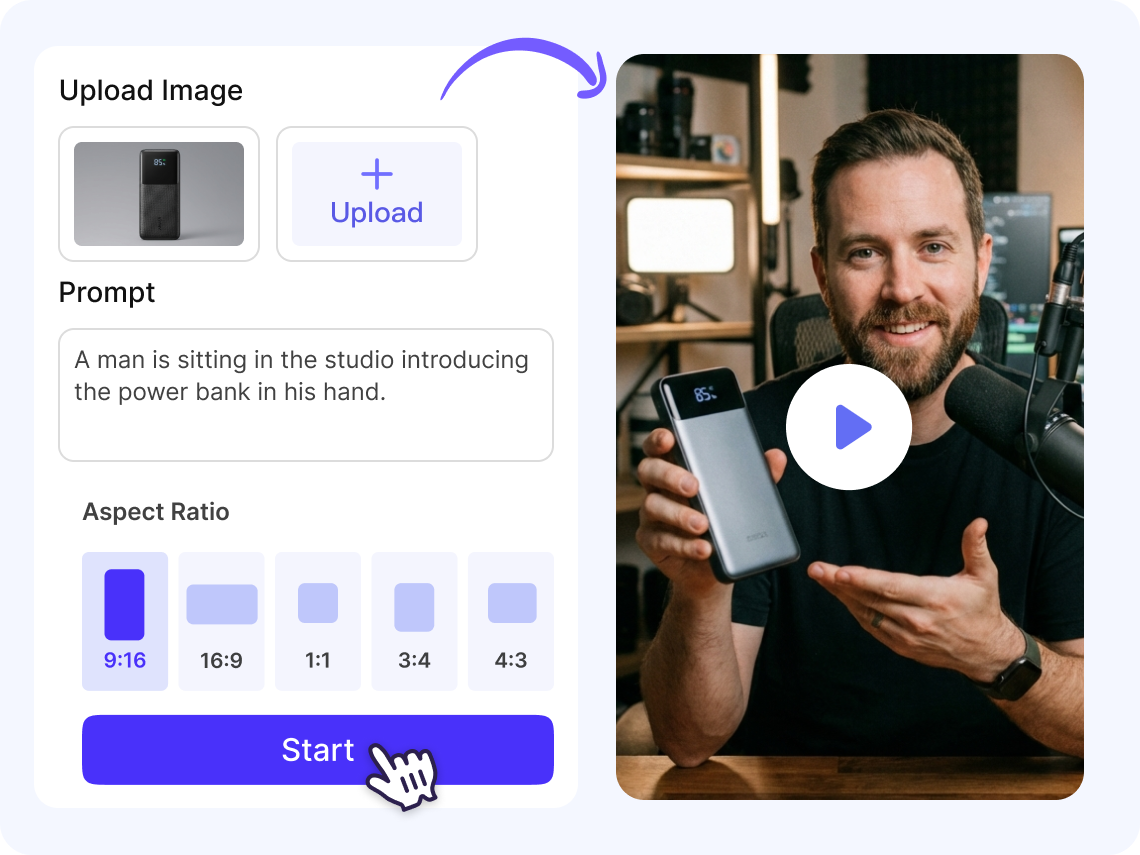
Generate AI Videos from Text or Images
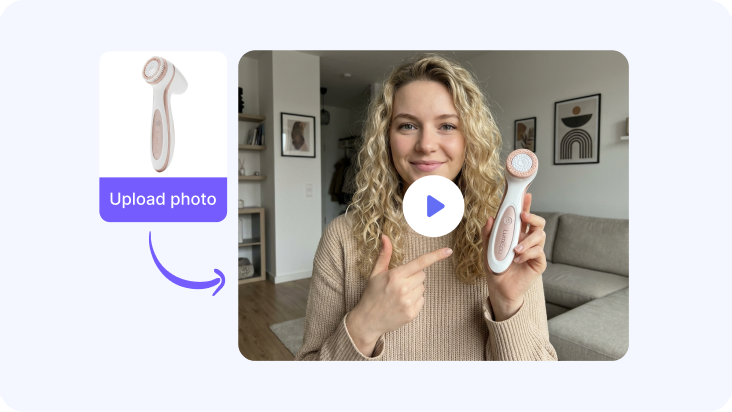
Turn simple text prompts, images, or product photos into dynamic AI videos in seconds. Create marketing content, cinematic scenes, or storytelling clips without filming or editing.
- Transform text prompts or images into ready-to-use videos
- Perfect for ads, product showcases, and creative storytelling
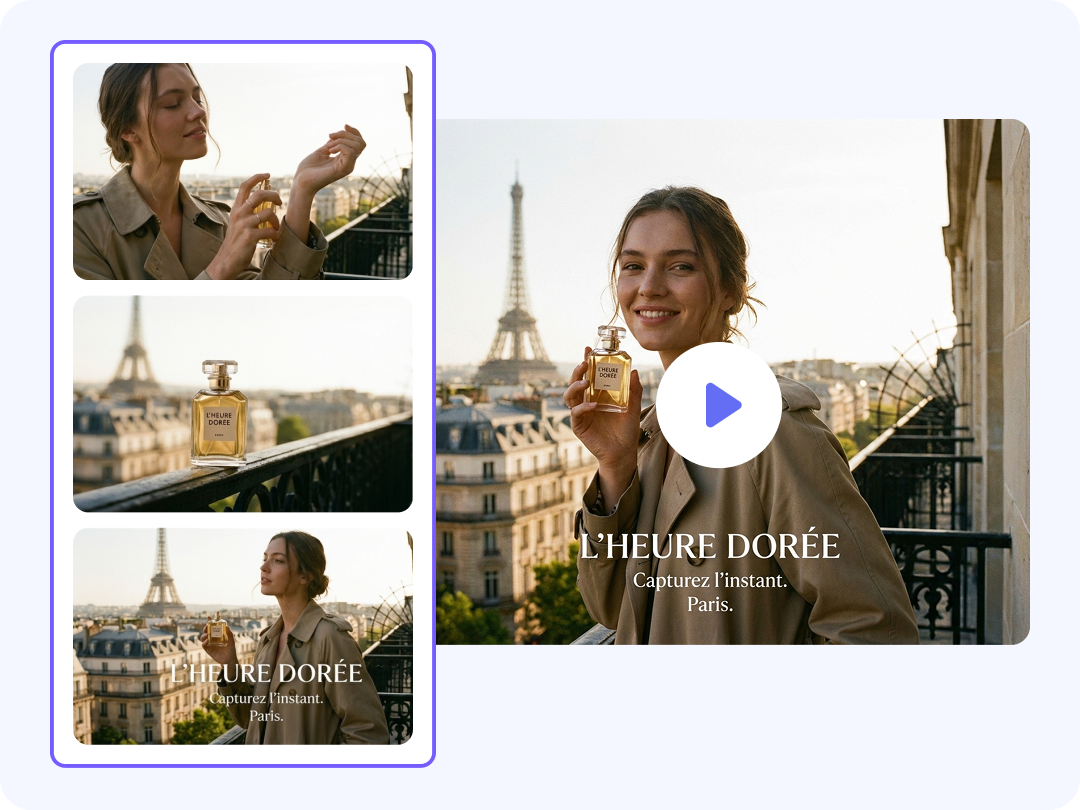
Create Smooth Scene Transitions
Generate multi-shot video sequences that flow naturally from scene to scene. FalcoCut ensures visual continuity, smooth transitions, and cinematic storytelling across every frame.
- Generate multi-scene videos with natural transitions
- Maintain lighting and environment consistency across shots
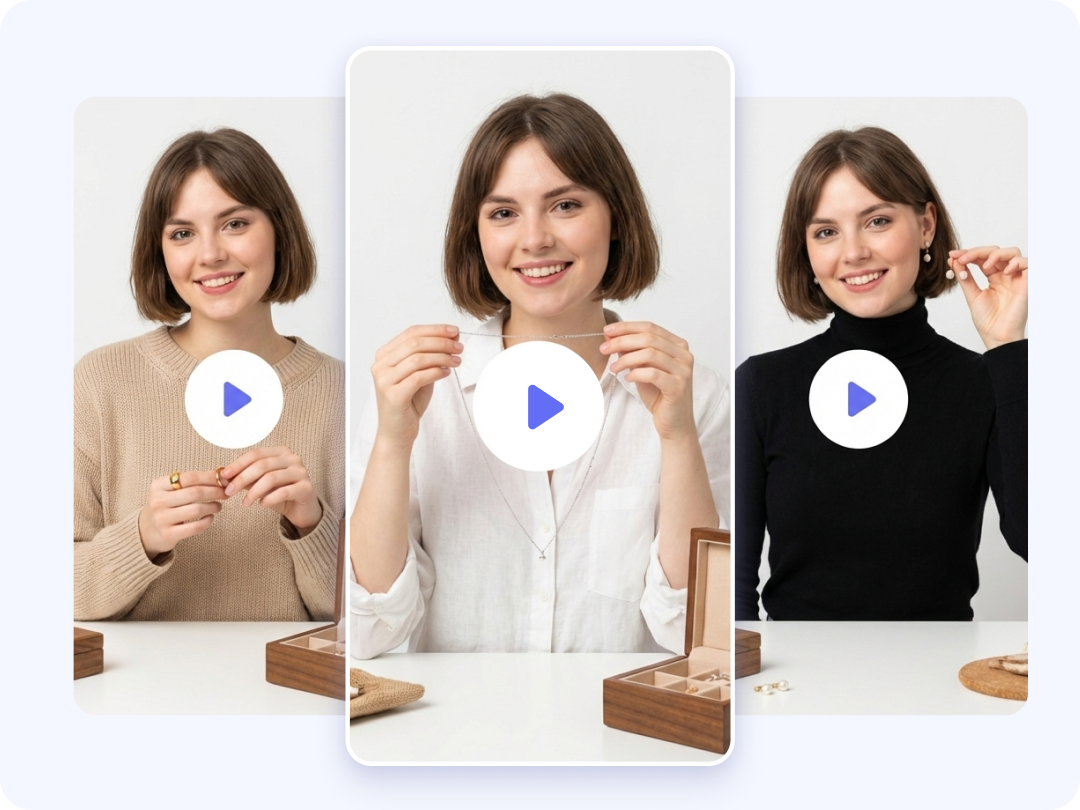
Maintain Character Consistency Across Scenes
Keep characters, objects, and visual styles consistent throughout your video. FalcoCut ensures your protagonist looks identical across multiple shots for professional storytelling and ads.
- Preserve character identity across scenes
- Maintain clothing, textures, and visual style automatically
Export Videos for Any Social Platform
Optimize your videos for TikTok, Instagram Reels, and YouTube Shorts instantly. Adjust aspect ratios, duration, and format with one click to maximize publishing on social platforms.
- Automatically format videos for social media platforms
- Generate content optimized for vertical video feeds

Who Can Use Sora 2 Pro in FalcoCut
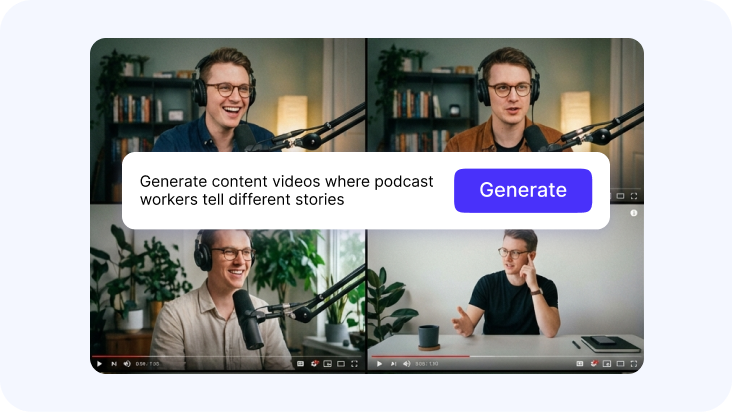
Content Creators
Create engaging short-form videos, reels, and storytelling content using simple prompts or images. Generate unique visuals and trending content quickly using simple prompts or product images.

Marketing Teams & Brands
Turn product photos or campaign ideas into high-quality AI video ads. Quickly generate creative assets for social media, product showcases, and branded campaigns at scale.
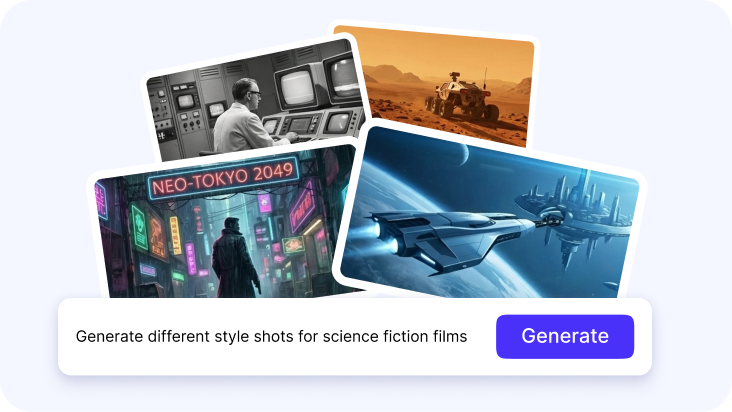
Filmmakers & Creative Teams
Prototype scenes, visualize story ideas, and experiment with cinematic shots using AI video generation. Quickly test concepts, pre-visualize narratives, and generate high-fidelity drafts.
FalcoCut AI Toolkits
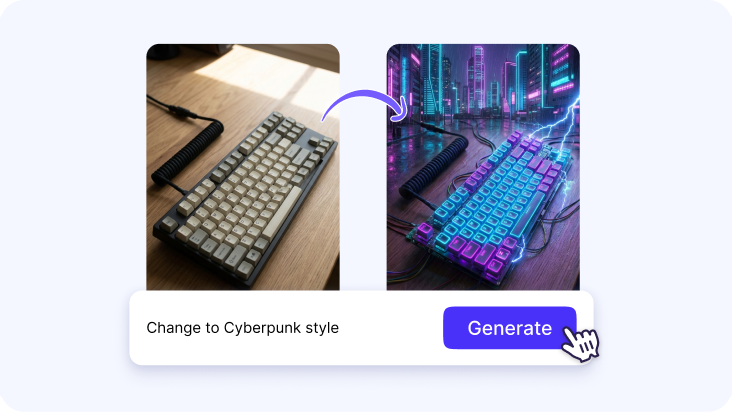
FalcoCut provides a full suite of AI tools for creating high-quality videos faster. From AI video generation and avatars to translation and scalable content creation, everything you need to produce engaging video content in one platform.



Frequently Asked Questions
What is Sora AI?
Sora AI is a text‑to‑video model created by OpenAI that transforms written prompts or images into realistic moving scenes. It understands actions, environments, and physics well enough to generate videos that feel natural and coherent. The model can handle complex motion, multi‑shot storytelling, and consistent characters across frames. Its goal is to make high‑quality video creation accessible without requiring cameras, actors, or editing skills.
How can I use Sora AI video generator on FalcoCut?
- Step 1: Select the Sora 2 Pro model inside FalcoCut to activate the latest text‑to‑video and image‑to‑video capabilities.
- Step 2: Enter a detailed prompt describing your idea or upload an image to guide the visual style and motion.
- Step 3: Choose your preferred duration and resolution so the final video matches your creative or platform needs.
- Step 4: Generate the video and download the finished clip once FalcoCut completes the rendering process.
What is the latest Sora AI model?
The latest version of the Sora AI model is Sora 2 Pro, which offers improved realism, physics understanding, and scene consistency. It produces smoother motion, more accurate lighting, and better character stability across frames. Sora 2 Pro also supports synchronized audio, allowing sound effects and dialogue to match the generated visuals. This version represents a major leap in quality compared to earlier releases.
Is Sora AI safe to use?
Sora AI is designed with safety guidelines and content filters that help prevent harmful or inappropriate outputs. Platforms that integrate Sora, including FalcoCut, apply additional safeguards to ensure responsible use. These systems monitor prompts and generation behavior to maintain a safe creative environment. Users can create freely while knowing the tool follows established safety standards.
Is Sora 2 Pro free to use?
No. Access to Sora 2 Pro depends on the platform providing the model, and FalcoCut offers usage without requiring a separate OpenAI account. Many users can try Sora 2 Pro without upfront cost, especially for shorter or simpler generations. Some advanced features or higher‑resolution outputs may require a paid plan depending on the platform's policies. This structure allows creators to experiment before committing to premium options.
What kind of videos can I create using Sora?
Sora can generate a wide range of videos, including ads, product showcases, storytelling clips, educational scenes, and social media content. It handles both realistic environments and stylized concepts, giving creators flexibility across genres. The model supports multi‑shot sequences, allowing you to build short narratives or cinematic moments. Its versatility makes it suitable for marketing, entertainment, and creative experimentation.
Can Sora 2 Pro handle image‑to‑video?
Yes. Sora 2 Pro supports image‑to‑video generation by using your uploaded image as a visual reference for motion and style. The model can animate characters, environments, or objects while preserving the original look. This helps maintain consistency across scenes when you want a specific character or design. It is especially useful for product visuals, portraits, or concept art that needs dynamic movement.
How long are the videos generated by Sora 2 Pro?
Videos generated by Sora 2 Pro typically range from 1 to 2 minutes depending on the complexity of the prompt. More detailed scenes with multiple characters or dynamic motion may require additional processing time. Shorter clips usually render faster, especially when the prompt is simple and direct. The final duration is influenced by both creative choices and system capabilities.
Can I edit videos generated with Sora 2 Pro?
Yes. Videos generated with Sora 2 Pro can be edited further inside FalcoCut using its built‑in video editor. Users can regenerate the video by adjusting the prompt if they want a different interpretation or improved motion. The editor also allows trimming, adding text, inserting audio, or combining multiple clips. This flexibility helps refine the final output without needing external editing software.